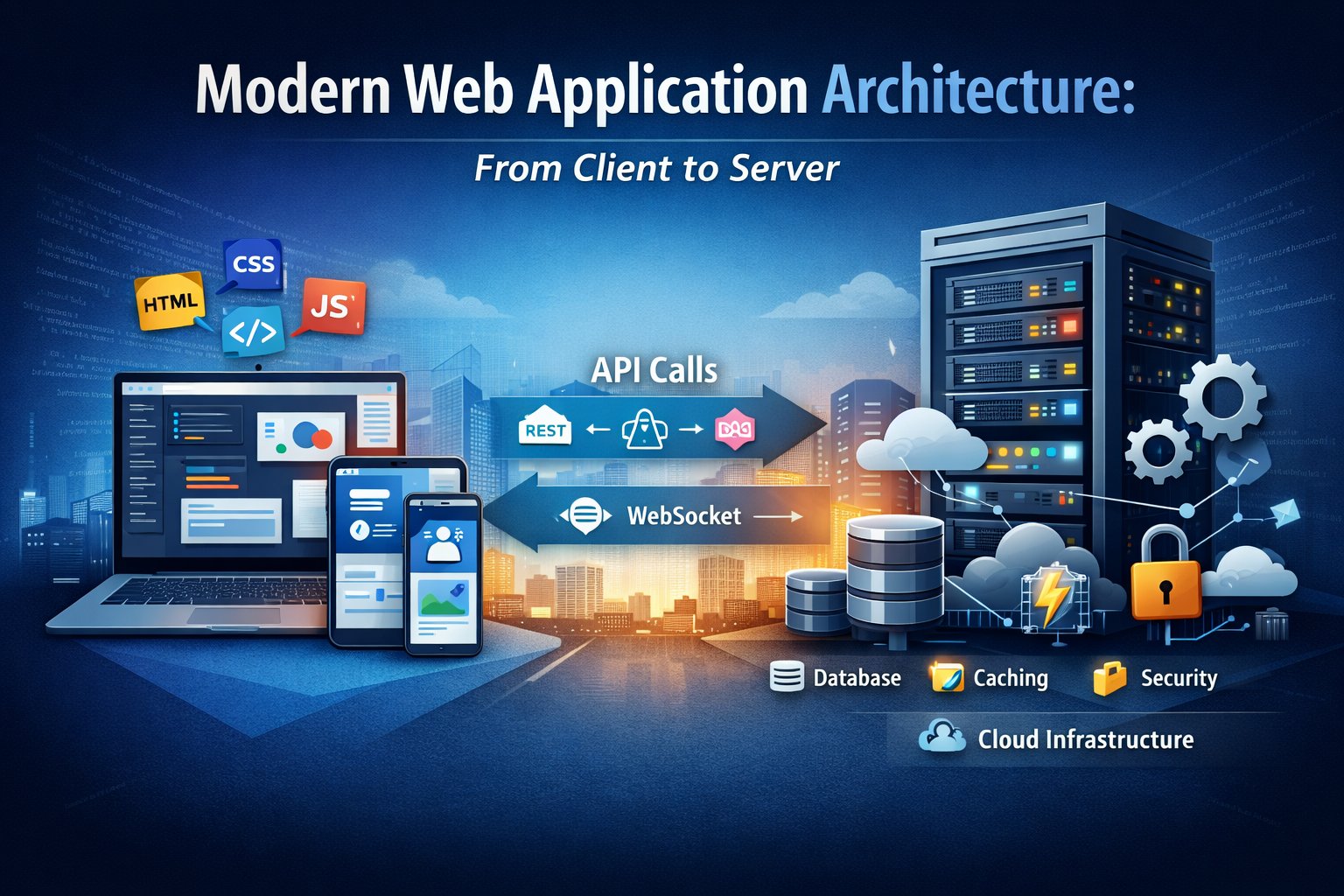
Modern web applications have evolved far beyond static pages linked together by simple navigation. Today’s web platforms behave more like full-scale software ecosystems, delivering dynamic interfaces, real-time updates, personalized experiences, and complex business logic across millions of users and devices. Behind that seamless experience lies a carefully designed architecture that connects the client, the server, the data layer, and the infrastructure that powers the entire application. Understanding modern web application architecture is essential for developers, product engineers, technical architects, and even business stakeholders. A web application is not only a visual interface. It is a chain of coordinated systems working together: the browser renders the UI, the client communicates with APIs, the server processes logic, the database stores data, and the deployment environment ensures the system remains available, fast, and secure. This article explores modern web application architecture from client to server, following the full path of a request through the major layers of a modern system and explaining how each part contributes to performance, scalability, and maintainability.
What Is Web Application Architecture?
Web application architecture is the structural design of a web-based system. It describes how the main components of the application are organized, how they interact with one another, and how responsibilities are distributed across the front end, backend, storage layer, and infrastructure. At its core, architecture answers practical questions. Where should business logic live? How should the client fetch and manage data? How should the server handle requests? How should the system scale under heavy traffic? How do we secure communication between layers? How do we keep the application maintainable as it grows? A strong architecture is not just about getting features to work. It is about ensuring the system remains understandable, flexible, secure, and efficient over time. Poor architecture usually leads to slow performance, brittle code, duplicated logic, difficult deployments, and rising maintenance costs. Modern architecture is shaped by both technical and product needs. An application with simple content publishing needs a different structure from a real-time social platform, an e-commerce store, or a collaborative SaaS product. Even so, most modern web applications share a set of common layers and architectural patterns.
The Client Layer: The User’s Entry Point
The client layer is the part of the application that runs in the user’s browser. It is responsible for presenting the interface, capturing user input, validating form data, managing interactions, and requesting data from the backend. The client is traditionally built with HTML, CSS, and JavaScript. HTML defines the structure of the page, CSS controls visual styling, and JavaScript enables interactivity. Modern web development builds on these fundamentals through frameworks and libraries such as React, Vue, Angular, and Svelte, which help developers create reusable UI components and manage application behavior more efficiently. In older websites, the browser’s role was mostly passive: it displayed HTML already prepared by the server. In modern web applications, the client often plays a much more active role. It may handle routing between views, synchronize state across components, cache fetched data, display optimistic updates, and even support offline or partially connected experiences. This evolution has made the browser a major execution environment, not just a rendering surface. As a result, client-side architecture is now a critical part of overall web application design. Rendering Approaches in Modern Front-End Architecture One of the most important decisions in front-end architecture is how content gets rendered for the user. Rendering strategy affects performance, user experience, SEO, infrastructure load, and implementation complexity.
Client-Side Rendering
In client-side rendering, the browser downloads a JavaScript bundle and uses it to build the interface dynamically. The initial HTML may be minimal, with most of the page content generated after the JavaScript application loads and fetches data. This approach became widely popular with single-page applications because it creates highly interactive and fluid user experiences. After the initial load, navigation between pages or views can feel fast and app-like. However, client-side rendering also has trade-offs. Initial loading can be slower on weak devices or slow networks, because the browser must download, parse, and execute JavaScript before meaningful content appears. It may also require additional work to achieve strong search engine visibility.
Server-Side Rendering
In server-side rendering, the server generates the HTML for a page before sending it to the browser. The user sees meaningful content sooner, which can improve both perceived performance and SEO. This model is especially useful for content-heavy pages, public landing pages, blogs, product pages, and applications where fast first paint matters. Frameworks such as Next.js and Nuxt have made server-side rendering more accessible in modern front-end ecosystems. The trade-off is that rendering now depends on the server, increasing backend responsibility and infrastructure complexity.
Static Site Generation
Static site generation produces HTML ahead of time during a build process. The pages are then served as static assets, often through a CDN. This makes delivery extremely fast and highly scalable. This strategy works well for documentation sites, blogs, marketing pages, knowledge bases, and content that does not need to be generated dynamically for each request.
Hybrid Rendering
Modern frameworks increasingly support hybrid rendering, where different pages use different strategies. One route may be statically generated, another server-rendered, and another fully client-rendered. This reflects a broader architectural truth: one rendering model rarely fits the entire application.
Client-Side State Management
As web applications grow, managing state becomes one of the most complex aspects of front-end development. State includes everything the application needs to remember during interaction: authenticated user information, theme settings, form input values, selected filters, cached server responses, modal visibility, and much more. Small applications can often rely on local component state. Larger systems usually require more deliberate state architecture. This is where tools such as Redux, Zustand, Pinia, or framework-native stores become valuable. It is also important to separate UI state from server state. UI state is local to the interface, while server state comes from an external source and may become stale. Modern front-end architecture often treats server state with dedicated tools such as React Query, TanStack Query, or SWR, which handle fetching, caching, refetching, and synchronization more effectively than general-purpose state stores. Good state management improves predictability and maintainability. Poor state management creates duplication, inconsistent UI behavior, and difficult debugging.
Communication Between Client and Server
The client layer depends on backend services to retrieve data, authenticate users, process business actions, and persist changes. This communication usually happens through HTTP or HTTPS. REST remains one of the most common approaches. In REST-based systems, the client interacts with resources through endpoints such as /users, /posts, or /orders. HTTP methods like GET, POST, PUT, PATCH, and DELETE describe the action being performed. REST is simple, widely understood, and works well for many applications. GraphQL is another popular option. Rather than exposing many endpoints, it provides a flexible query interface through which the client can request exactly the data it needs. This can reduce over-fetching and simplify data retrieval for complex interfaces. At the same time, GraphQL introduces additional considerations around schema design, authorization, caching, and query performance. For real-time features such as chat systems, live notifications, collaborative editing, and dashboards, request-response patterns may not be enough. In those cases, WebSockets or Server-Sent Events allow the server to push updates to the client without repeated polling. This communication layer is where user action becomes application behavior. A button click in the UI often triggers a journey through multiple layers of the architecture.
The Backend Layer: Where Business Logic Lives
The backend is the engine behind the interface. It receives incoming requests, validates them, applies business rules, interacts with databases or third-party systems, and returns responses to the client. A backend may be built with Laravel, Django, Express, NestJS, Spring Boot, ASP.NET, Ruby on Rails, or many other frameworks. Regardless of the language or stack, the backend typically includes the same logical responsibilities. Routing determines which part of the application should handle an incoming request. Controllers or request handlers receive the request and coordinate the response. Service classes or domain modules contain business logic. Data access layers or repositories handle interaction with storage systems. Middleware often manages authentication, rate limiting, logging, or request transformation. A healthy backend architecture separates concerns clearly. Business rules should not be tightly mixed with HTTP-specific logic. Database access should not be scattered randomly across the codebase. Input validation, authorization, and error handling should be systematic rather than improvised. As an application grows, the backend often becomes the most important place for maintaining consistency across platforms. The web client, mobile app, admin dashboard, and third-party integrations may all rely on the same backend services.
Monolithic and Distributed Architectures
One of the major design decisions in backend architecture concerns how the system is structured at a broader level. In a monolithic architecture, the backend exists as a single deployable application. Routing, business logic, templates or APIs, and data access all live within one codebase and are deployed together. Monoliths are often easier to build, test, understand, and deploy, especially in the early stages of a product. They reduce operational overhead and allow teams to move quickly. Despite the hype around microservices, monoliths remain a strong and practical choice for many systems.
Modular Monolith
A modular monolith keeps a single deployable structure while organizing the code into internal modules with clear boundaries. This allows teams to preserve simplicity at the operational level while improving maintainability and separation of concerns. Many modern engineering teams prefer this approach because it supports growth without introducing the full complexity of distributed systems too early.
Microservices
Microservices divide functionality into multiple independently deployable services, each responsible for a particular business domain. One service may handle user accounts, another payments, another search, and another notifications. This model can improve team autonomy and allow different parts of the system to scale independently. However, it also introduces serious complexity: network failures, service communication, observability challenges, distributed tracing, deployment coordination, and data consistency problems. Microservices are powerful when the system and organization truly require them. They are often a poor choice when adopted for trend reasons instead of real architectural need.
The Data Layer: Storage and Persistence
The data layer stores the information that the application needs to function. This includes users, products, posts, orders, permissions, logs, files, analytics events, and more. Relational databases such as PostgreSQL and MySQL remain foundational in modern web architecture because they provide strong consistency, structured querying, transactions, and mature ecosystems. They are ideal for systems where relationships between data entities matter and where correctness is critical. NoSQL databases serve different needs. Document databases such as MongoDB are useful when data structures are more flexible. Key-value stores such as Redis support extremely fast access and are often used for caching, sessions, counters, and temporary data. Search engines such as Elasticsearch or OpenSearch are designed for advanced text querying and analytics rather than core transactional storage. Modern applications often use multiple storage technologies together. For example, an application may use PostgreSQL for primary relational data, Redis for caching and rate limiting, object storage for media files, and a search index for full-text discovery. This multi-store approach can be powerful, but it requires clear boundaries and careful data ownership.
Caching and Performance Optimization
Performance is one of the defining concerns of modern architecture, and caching plays a central role in solving it. Instead of recalculating the same response or repeatedly querying the same data, the application stores reusable results temporarily. Caching can exist in the browser, in a CDN, in the server application, or in dedicated systems like Redis. Static assets such as images, stylesheets, and JavaScript bundles are commonly cached close to the user. API responses or expensive computations may be cached at the application layer. Effective caching reduces latency, lowers infrastructure costs, and improves perceived speed. But it also introduces complexity. Data may become stale, invalidation rules may be difficult, and debugging can become harder if teams do not understand where cached data is coming from. That is why performance architecture is not only about adding caches. It is about knowing what should be cached, where it should be cached, and when it should be refreshed or invalidated.
Asynchronous Workflows and Background Processing
Not all work should happen during the request-response cycle. Some tasks take time and do not need to block the user. Sending emails, generating reports, resizing media, indexing search documents, and processing payment webhooks are common examples. Modern applications handle such tasks through asynchronous workflows. Instead of completing everything immediately, the backend places a job in a queue and returns a response quickly. Background workers then process the job independently. This pattern improves responsiveness and system stability. It also enables better scaling because worker processes can be increased separately from the main web application. Queues and event-driven systems are especially important in larger architectures, where different services or modules need to communicate without being tightly coupled in real time.
Security Across the Architecture
Security must be built into every layer of a web application, not added at the end. The client must protect against unsafe scripts, insecure token handling, and exposed sensitive information. The server must validate all input, enforce authorization rules, manage sessions or tokens securely, and defend against abuse through rate limiting and monitoring. Transport security through HTTPS is essential, but secure architecture goes much further. It includes password hashing, least-privilege access, secret management, secure file handling, logging for auditability, and protection against common attacks such as XSS, CSRF, SQL injection, and broken access control. A modern architecture should assume that threats are constant and that trust boundaries matter. Security is not a plugin. It is a structural design requirement.
Deployment, Infrastructure, and Operations
Modern web applications do not end with code. They depend on infrastructure that runs, scales, monitors, and delivers that code in production. Applications may be deployed to virtual machines, containers, managed platforms, or serverless environments. Many teams use Docker for consistency across environments, Kubernetes for orchestration at scale, or platform services that abstract much of the deployment complexity. Continuous integration and continuous deployment pipelines help teams test and release changes reliably. Monitoring systems track uptime, errors, response times, and resource usage. Logging platforms help engineers investigate issues. Alerting systems surface incidents before they become major failures. Infrastructure decisions shape performance, reliability, and developer velocity. In modern engineering, architecture includes both application design and operational design. Modern web application architecture is the discipline of connecting user experience with system design. From the browser interface to APIs, backend services, storage systems, and deployment infrastructure, each layer plays a distinct role in turning user actions into reliable software behavior. The client is responsible for rendering and interaction. The server handles business logic and coordination. The data layer preserves state. Infrastructure keeps the system available and scalable. Performance, security, and maintainability emerge not from one tool, but from the quality of the architecture as a whole. The best architecture is not the most fashionable one. It is the one that fits the product, the team, and the stage of growth. A small product may succeed with a clean monolith and server-rendered pages. A larger platform may require distributed services, advanced caching, real-time messaging, and global delivery layers. The real goal is not complexity. The goal is clarity, resilience, and the ability to evolve. Modern web applications continue to grow in scope and ambition, but the principle remains the same: architecture is the bridge between what users see on the screen and what the system must do behind the scenes. Understanding that bridge is what allows teams to build software that lasts.